Project management
that stays private.
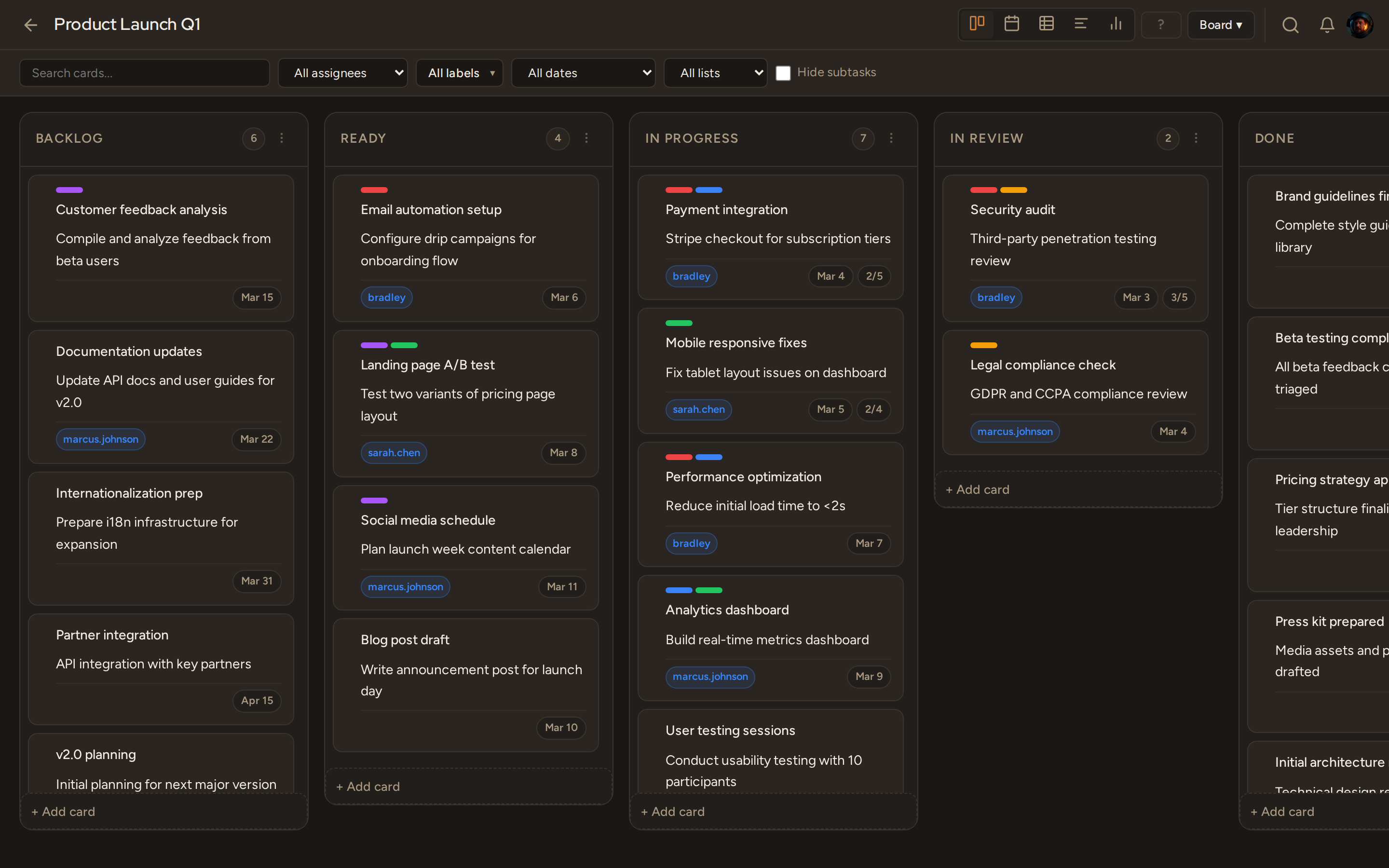
Pliny is a full-featured Kanban app you run on your own server. All the tools your team needs. None of the monthly invoices.
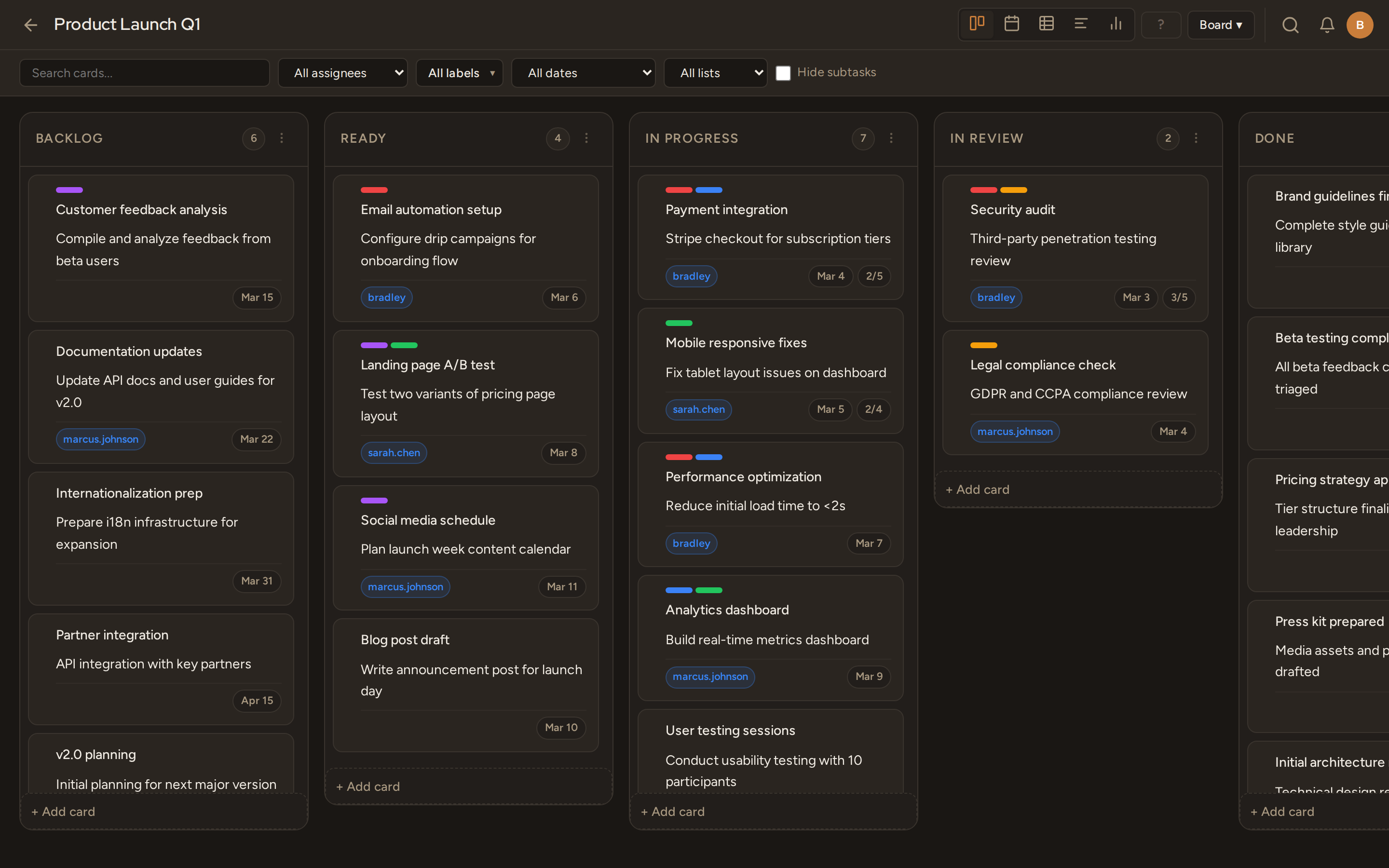
Drag & drop that actually works
Grab anywhere on desktop. Dedicated handle on touch. Native scroll preserved everywhere.
Your data, your servers
Deploy with one Docker command. No cloud dependency, no telemetry, no vendor lock-in.
Real-time collaboration
WebSocket-powered live updates. Everyone sees changes the moment they happen.
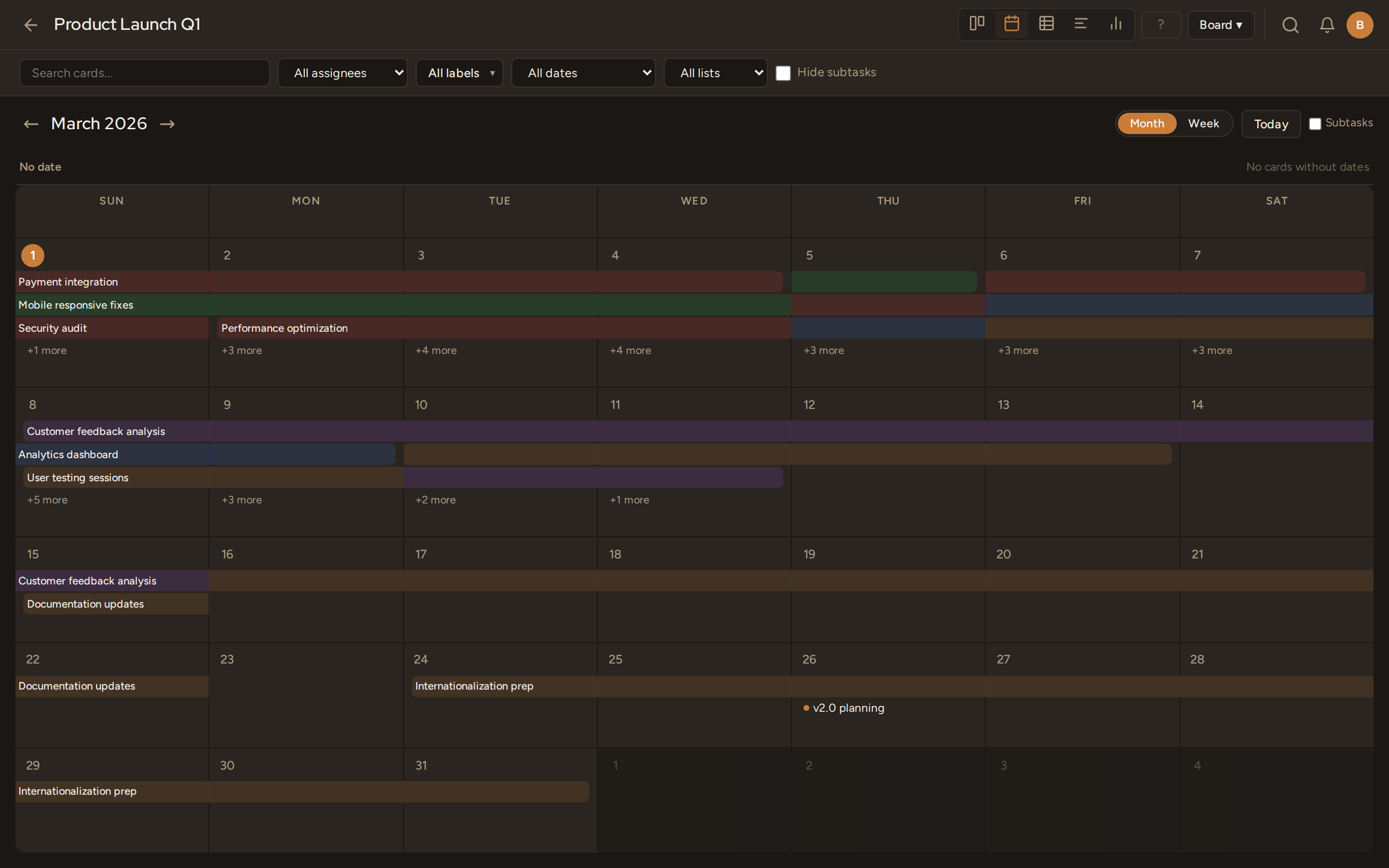
Calendar & Timeline views
Drag cards onto calendar dates. Build a timeline of your sprint. Switch views without losing context.
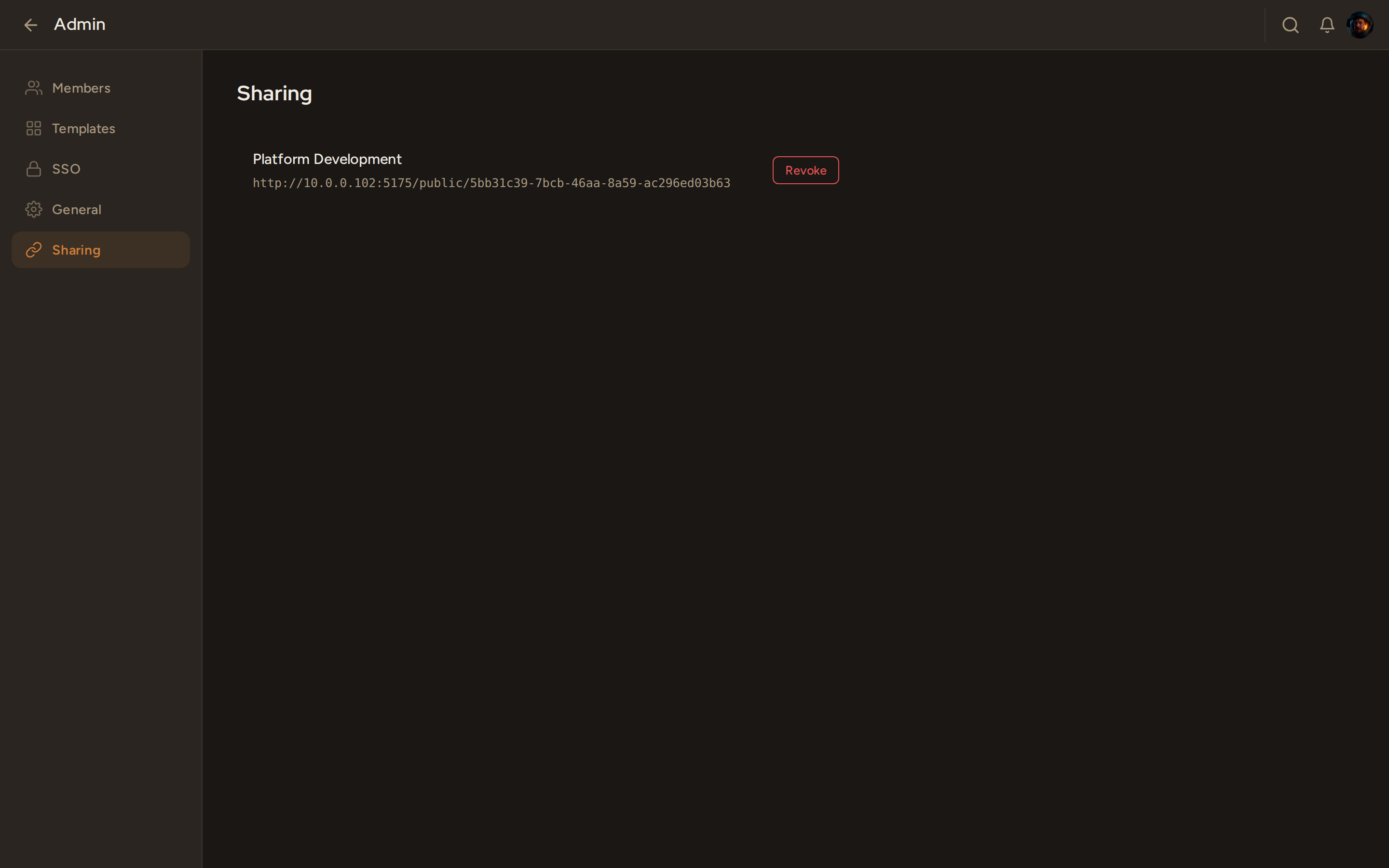
Per-board access control
Global roles (Guest / Member / Admin) layered with per-board roles (Viewer / Editor / Admin). Public read-only links for stakeholders.
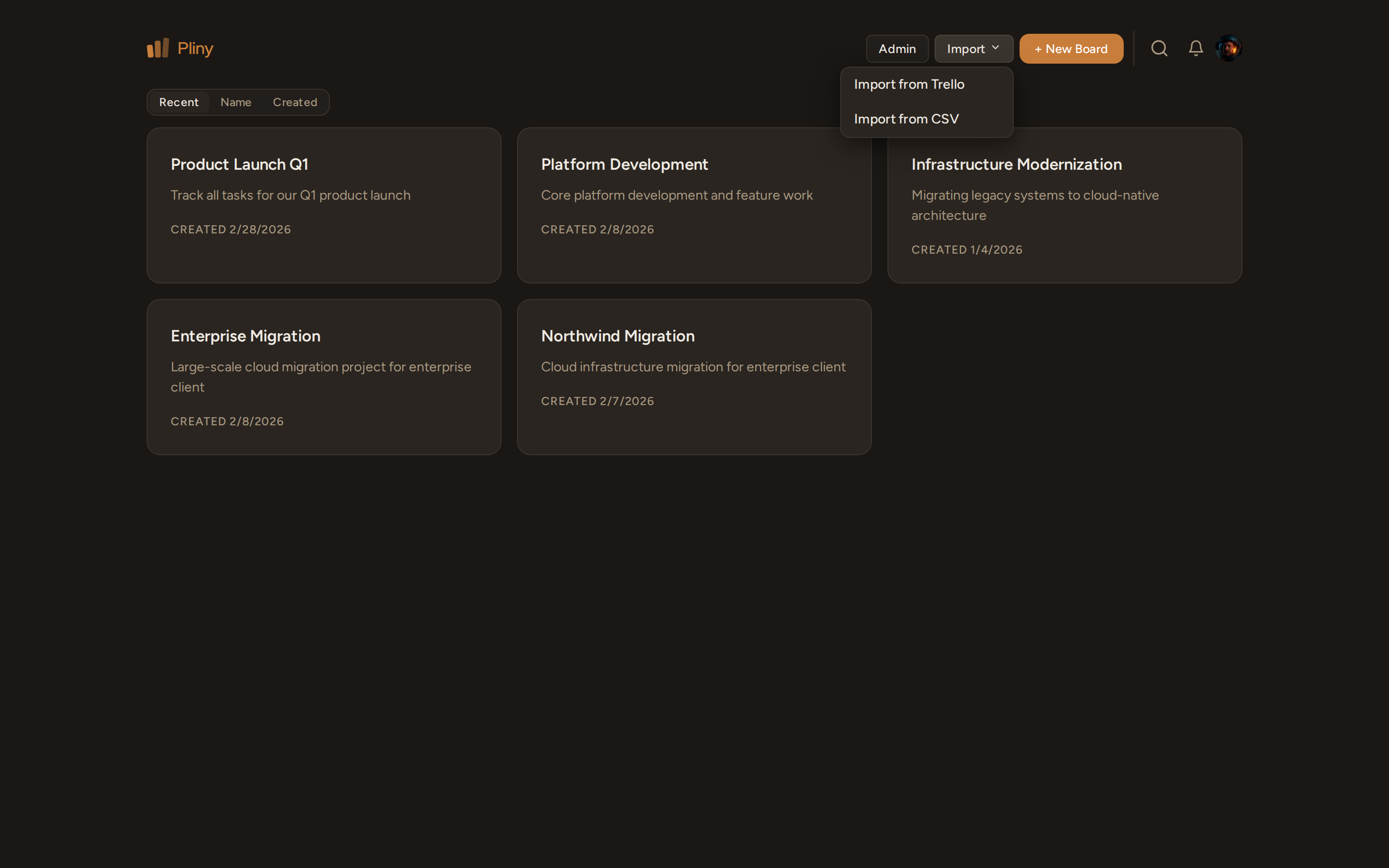
Migrate from Trello instantly
Upload your Trello JSON or CSV export. Preview what imports before it touches your board.
API, webhooks, and PATs
REST API v1, personal access tokens, HMAC-signed webhooks with delivery retry. Build integrations without workarounds.
Everything included.
No tiers. No "advanced" plan. No feature gating. You get all of it.
Boards & Cards
- ✓ Custom columns
- ✓ Drag & drop
- ✓ Subtasks
- ✓ Card relations
- ✓ Labels
- ✓ Due dates
- ✓ Checklists
- ✓ File attachments
- ✓ Markdown descriptions
- ✓ Custom fields
- ✓ Bulk actions
Views
- ✓ Kanban board
- ✓ Calendar view
- ✓ Timeline view
- ✓ Mobile agenda view
- ✓ Unscheduled card row
Collaboration
- ✓ Real-time WebSocket
- ✓ @mentions
- ✓ Comments
- ✓ Activity timeline
- ✓ Email notifications
- ✓ Notification bell
- ✓ 7 notification types
Access & Permissions
- ✓ Global roles (Guest / Member / Admin)
- ✓ Per-board roles (Viewer / Editor / Admin)
- ✓ Public read-only links
- ✓ Personal access tokens
- ✓ Board membership management
Import & Export
- ✓ Trello JSON import
- ✓ CSV import with preview
- ✓ CSV export
- ✓ JSON export
- ✓ Board templates
Developer
- ✓ REST API v1
- ✓ Webhooks + HMAC-SHA256
- ✓ Delivery retry
- ✓ Developer console UI
- ✓ Rate limiting
Admin & Security
- ✓ OIDC SSO
- ✓ TOTP two-factor auth
- ✓ SMTP configuration
- ✓ User management
- ✓ Password reset
- ✓ Auto-run migrations
UX
- ✓ Dark mode
- ✓ Global search (Ctrl+K)
- ✓ Keyboard shortcuts
- ✓ URL-based routing
- ✓ Mobile-responsive
- ✓ Touch-optimized
Ready to deploy?
Docker and Docker Compose. That's it. Five minutes from zero to running.
# Clone and start
git clone https://github.com/bshandley/pliny
cd pliny && cp .env.example .env
docker compose up -d
Full deployment guide →